

After spending several days testing Nvidia's new Dynamic Multi Frame Generation, I wrote about my findings, so that you can judge for yourself whether it's worth using or not. I also briefly mentioned that the DLSS 4.5 update included a new preset for frame generation, purported to improve the user interface in certain games. Having tested that aspect again, I have to say that I'm struggling to see what the fuss is about.
Essentially, presets are like a config file for the AI frame generation to use, adjusting the weightings of the calculations. In the case of DLSS Super Resolution (i.e. upscaling), the different presets are designed to favour a particular frame resolution and/or performance expectation.
With the new frame generation update, though, the extra preset is exclusively for "enhanc[ing] in-game user interfaces by incorporating additional game engine data, improving visual quality and clarity of static user interface elements." Sounds great, yes? Well, let's see it in action.
For the testing of the DLSS update, Nvidia suggested we should use Dragon Age: The Veilguard or Hogwarts Legacy, saying that these games clearly show the benefits of the new preset. I've picked the former game, as it loads up quicker than Hogwarts, and has a snappier interface for adjusting settings.
To begin with, here's a brief clip of Dragon Age, running at 4K DLSS Quality, with High graphics, using a 3x Multi Frame Generation override and the default preset A, both forced active via the latest beta Nvidia App.
This particular game has multiple UI elements, some permanently visible, such as the mini-map and quest info, and others that only appear when you press a certain button. In all cases, using frame gen preset A doesn't seem to cause any problems that my old eyes can see.
Now let's take a look at how those elements all look when using preset B.
Am I missing something here? I watched both videos carefully, over and over. I've paused them at critically similar points to directly compare UI elements, but I just can't see what's different between the frame gen presets. Nvidia's statistics overlay confirms which one is being used, so it's not like I've activated the wrong one by accident.
Even if you directly compare the two presets by taking a snapshot of each video at the right moment, at maximum quality, there's honestly no difference that I can see in the UI elements. In the images below, make sure to click 'View original' to see them at their best.
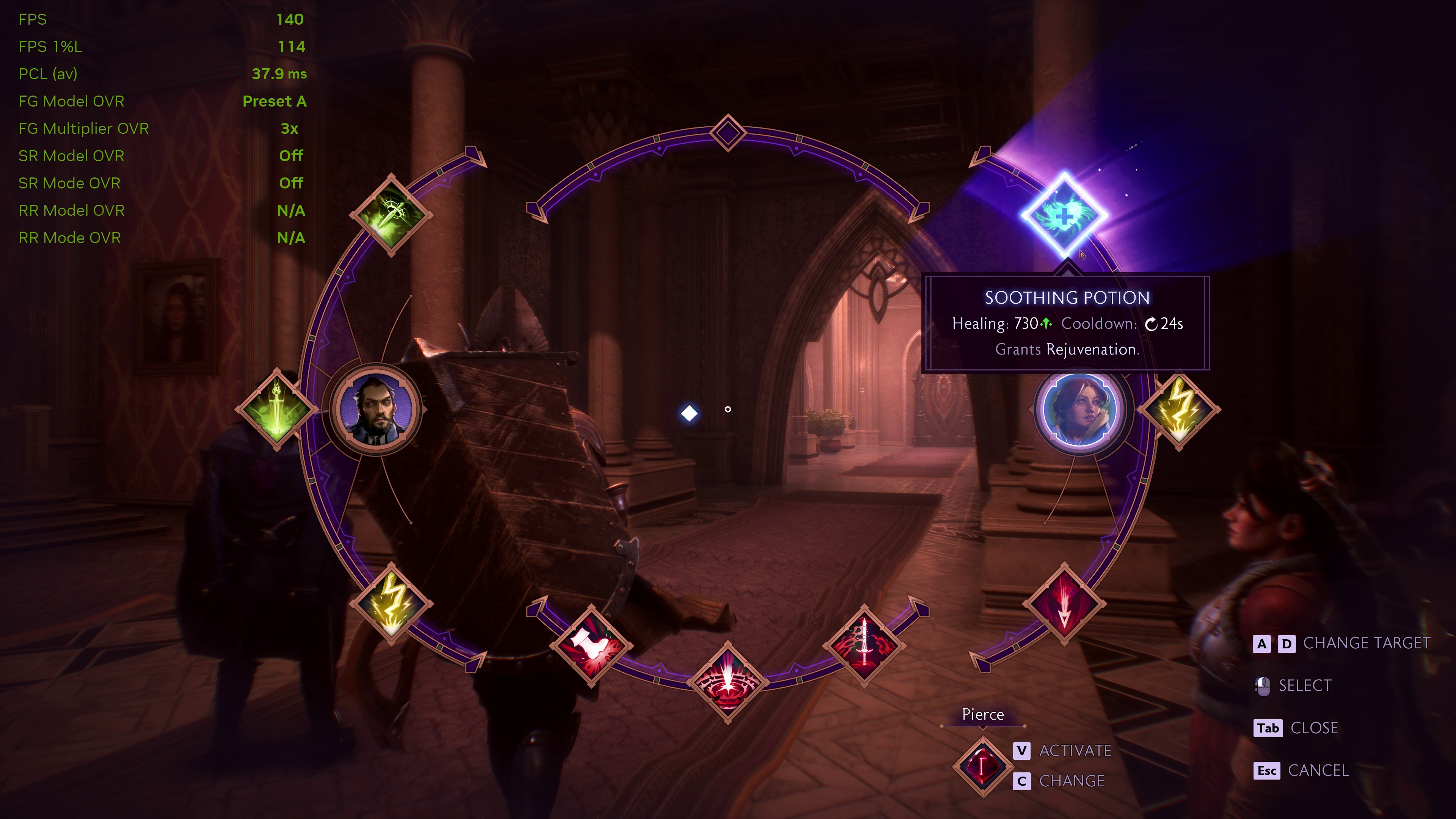 Preset AElectronic Arts
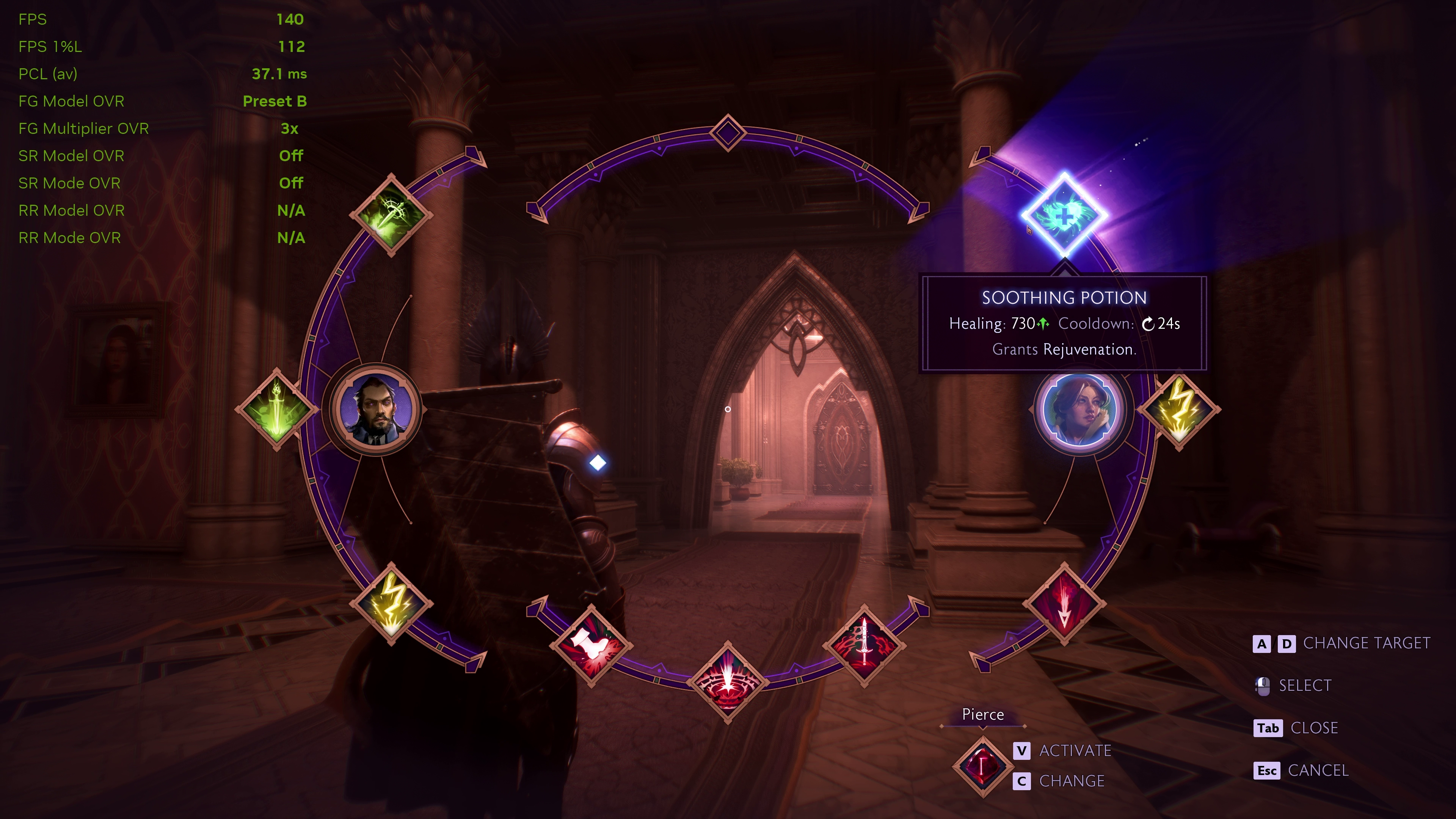 Preset BElectronic Arts
I've done the same comparisons with Hogwarts Legacy, focusing on the Room of Requirement, which Nvidia says is a great place to see the improvements introduced by Preset B, but once again, I cannot see a jot of difference.
All of which leaves me to conclude that there is only one of three possible explanations: (1) I've completely missed something really obvious in my dotage; (2) Nvidia's being rather hyperbolic about preset B; or (3) the new preset isn't actually being used, and it's a bug in the drivers (regardless of what Nvidia App is saying).
Given that the new DLSS Dynamic Multi Frame Generation update has issues with fps limiters in games, I'm thinking that this is most likely a driver bug. Or at the very least, I hope it is, simply because that means there's a chance it could all be fixed and we do get to see better UI elements with the new preset.





 Bengali (Bangladesh) ·
  English (United States) ·