
 2 weeks ago
5
2 weeks ago
5 
With more people shopping for groceries online, many SNAP recipients are turning to Amazon for everyday food needs.
Being able to use an EBT card online has made grocery shopping easier than ever, especially when you’re short on time or trying to stretch your budget.
Amazon has helped make this possible by expanding access to online grocery shopping for families who rely on SNAP benefits.
In this guide, I’ll walk you through how to use and maximize your SNAP benefits on Amazon so you can save time, save money, and have more choices at your fingertips.
Understanding SNAP and EBT
SNAP, which stands for the Supplemental Nutrition Assistance Program, helps eligible individuals and families pay for groceries.
These benefits are based on income and household needs and are designed to help reduce food insecurity while making sure families can put food on the table.
What Is EBT?
EBT, or Electronic Benefits Transfer, is how SNAP benefits are given out and used. Your EBT card works a lot like a debit card and can be used at approved grocery stores and even online. This makes shopping faster and more convenient, especially now that retailers like Amazon accept EBT for eligible food items.
Amazon’s SNAP and EBT Program
Amazon now accepts SNAP EBT as part of an effort to make grocery shopping easier and more accessible. This allows eligible shoppers in participating states to use their benefits online through a familiar and trusted platform.
Eligibility for Using EBT on Amazon
To see if you’re eligible, you can visit Amazon’s SNAP page and follow the steps to check availability in your state. Once you’re approved, adding your EBT card to your Amazon account is simple, and you can start shopping right away.
What You Can Buy With EBT on Amazon
EBT can be used on Amazon to purchase approved food items like fruits, vegetables, meat, dairy, bread, and pantry staples. Items that aren’t considered food, such as household supplies or personal care products, are not eligible, so it’s important to double-check before checking out.
How to Use EBT on Amazon Step by Step
Create or Log Into Your Amazon Account
If you don’t already have an Amazon account, you’ll need to create one first. Once logged in, add your EBT card as a payment method so it’s ready to use for future grocery orders.
Shop for EBT-Eligible Items
Amazon makes it easy to shop by allowing you to filter results to show only EBT-eligible items. Take time to compare prices and look for deals so you can stretch your benefits as far as possible.
Checkout and Place Your Order
At checkout, your EBT balance will be applied to eligible items in your cart. Be sure to review delivery options, since some may have additional fees. If you want to save time, you can also use eligible items with Subscribe and Save when available.
Extra Benefits of Using SNAP on Amazon
Discounts and Savings
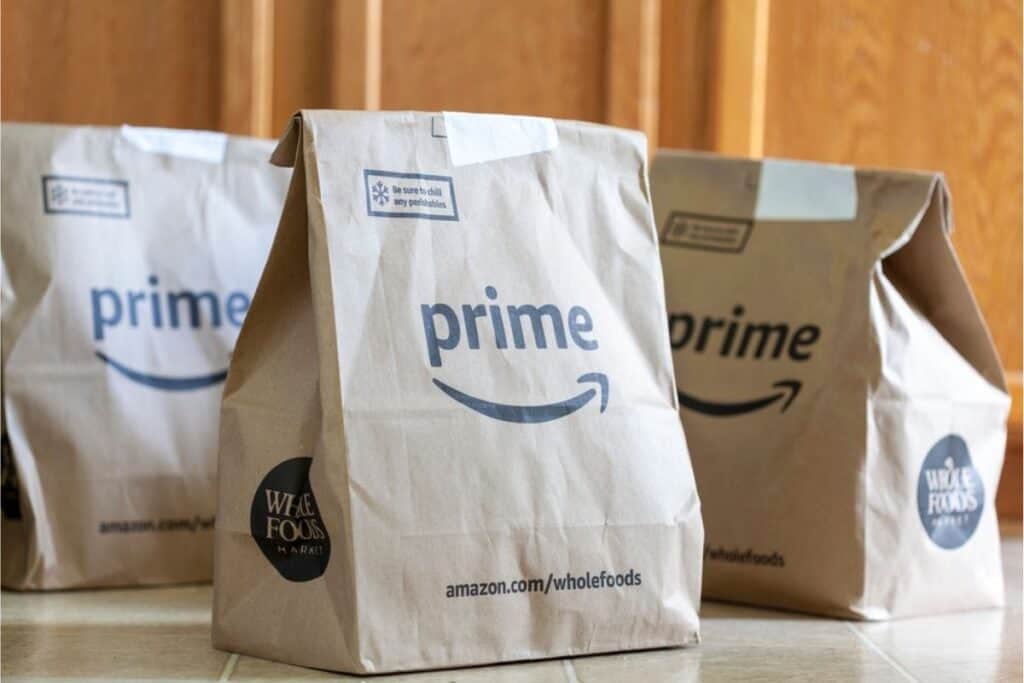
Amazon offers a discounted Prime membership for people who receive SNAP or Medicaid. This can unlock additional savings, digital coupons, and faster delivery options.
Convenience and Accessibility
Shopping online with SNAP can be a huge help if you have limited transportation, live in a food desert, or simply want to save time. Having groceries delivered right to your door makes meal planning much easier.
Easy Integration With Other Amazon Services
Amazon’s SNAP program works alongside services like Amazon Fresh and grocery delivery options in some areas, giving you even more flexibility and access to food.
Troubleshooting Problems
If you run into issues setting up your EBT card or using it at checkout, Amazon provides customer support and helpful resources to guide you through the process.
Using SNAP EBT on Amazon is an easy and convenient way to save time, access more food options, and take advantage of special discounts.
If you haven’t tried it yet, it may be worth using your EBT card for your next grocery order.
Have questions or tips of your own? Feel free to share them in the comments so others can benefit too.








 Bengali (Bangladesh) ·
  English (United States) ·